Berries? this smoothie will fire up your life
If you’re searching for a natural and delicious way to improve your health, this vibrant mixed berry smoothie is a perfect choice

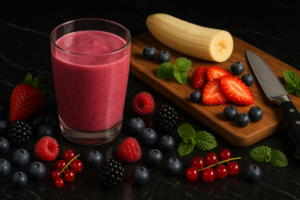
If you’re searching for a natural and delicious way to improve your health, this vibrant mixed berry smoothie is a perfect choice
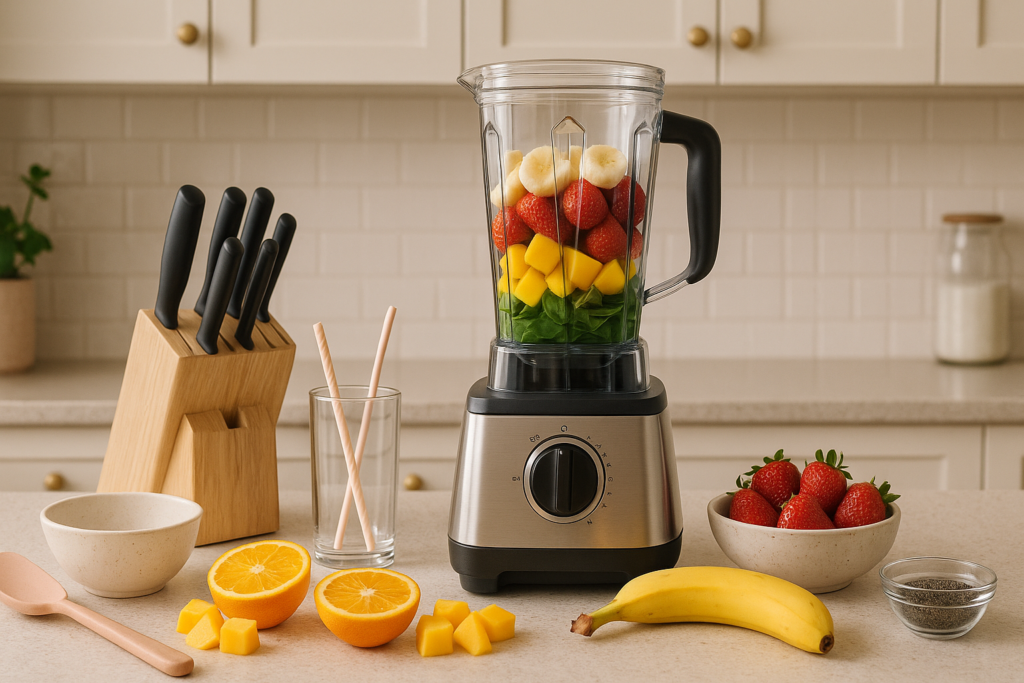
Smoothies aren’t just tasty, they are one of the easiest and most enjoyable ways to pack in nutrients. Whether you’re looking for a quick energizing breakfast, or a refreshing snack, or a post-workout refuel, smoothies are your go-to solution. But here’s the thing: even when you have the best ingredients,the smoothie can fall flat if you don’t have the right tools. From achieving that creamy texture to speeding up prep time, the right kitchen equipment can completely transform your smoothie-making experience. In this guide, we’ll walk you through the essential tools every smoothie lover needs to blend like a pro. I. A High-Quality Blender – The Heart of It All Let’s start with the most important piece of the puzzle: the blender. A powerful blender is the backbone of any great smoothie. It needs to crush ice, break down frozen fruits, and puree greens like spinach or kale with ease. When choosing your blender, here are the key things to consider: If you only make small servings, an immersion blender can work too. However, they often struggle with ice and frozen fruits. We’ve handpicked some of the best blenders on the market—tested, reviewed, and backed by real user testimonials. Discover which ones truly deliver the smoothest blends and the best value! Our pick 1. Vitamix A3500 – Premium Performance for Pros Price Range: High ($500–$700+) Why It Stands Out: The Vitamix A3500 is the gold standard for those who want commercial-level power at home. With a professional-grade motor and razor-sharp blades, it effortlessly crushes ice and pulverizes even the toughest greens into a velvety smooth consistency. You’ll love the 10 variable speed settings, pulse feature, and five pre-programmed modes designed for smoothies, soups, dips, frozen desserts, and more. Its generous 64-ounce container is perfect for families or anyone making large batches. Moreover, its self-cleaning function and rock-solid construction mean minimal maintenance and maximum durability. Best For: Serious home chefs, large households, and professionals who demand top-tier blending. 2. Braun TriForce / PowerBlend 9 – Feature-Rich & Mid-Priced Price Range: Medium ($200–$400) Why It Stands Out: Looking for power and precision without breaking the bank? The Braun TriForce (also known as PowerBlend 9) is a strong mid-range contender. Its innovative triangular jar design directs ingredients toward the blades for smoother blends in less time. This model features six auto presets and 10 manual speeds, giving you full control over your blend. It also has a built-in cleaning program and dishwasher-safe components, making cleanup a breeze. With a spacious 2-liter capacity and strong performance for everything from smoothies to crushed ice, it offers premium features at a more accessible price. Best For: Home users who want versatility, convenience, and quality without going all-in on a high-end model. 3. Breville Fresh & Furious – Affordable & Effective Price Range: Low ($100–$200) Why It Stands Out: For budget-conscious buyers, the Breville Fresh & Furious packs surprising performance at a wallet-friendly price. It’s sturdy, compact, and quieter than many blenders in its category. With five speed settings and nine preset functions—including green smoothies and ice crush—it handles daily tasks with ease. The self-cleaning mode and dishwasher-safe parts also make it extremely user-friendly. Despite its lower cost, it performs admirably with smoothies, nut milk, sauces, and more. Best For: Shoppers on a budget who still want solid performance and hassle-free cleanup. II. A Sharp Chef’s Knife – Smooth Prep Starts Here Before you even turn on the blender, you need to prep your fruits and veggies. A dull knife will slow you down and can be dangerous. A sharp chef’s knife, on the other hand, slices through tough skins and fibrous veggies effortlessly. From pineapples and mangoes to beets and carrots, a quality knife helps you prep faster and safer. Don’t forget to sharpen it regularly! Our pick 1. Wüsthof Classic 8-Inch Chef’s Knife – German Engineering at Its Best Price Range: Low ($150 – $170) Why It’s a Favorite: Best For:Cooks looking for a dependable, all-purpose knife that will last for years and perform consistently across all kitchen tasks. 2. Shun Classic 8-Inch Chef’s Knife – Precision Meets Beauty Price Range: $160 – $200 Why It’s a Standout: Best For:Home chefs who appreciate aesthetics and precision, and want a knife that cuts effortlessly with a refined touch. 3. MAC Professional 8-Inch Hollow Edge Chef’s Knife – Sharp, Sleek, and Smart Price Range:$145 – $165 Why It’s Highly Rated: Best For:Enthusiasts and professionals who want a versatile, easy-to-maintain knife that delivers top-tier sharpness and speed. III. Silicone Spatula – Scrape Every Last Drop Ever noticed how some smoothie goodness sticks to the sides of the blender jar? A silicone spatula helps you get it all out—no waste, no mess. It’s perfect for thick smoothies, nut butters, or yogurt blends that tend to cling to surfaces. Plus, it’s gentle enough not to scratch your blender jar. 1. GIR Ultimate Spatula – Seamless, Strong, and Stylish Price Range:Around $13 Why It Stands Out: Heat Resistance: Up to 550–600°F Best For:Mixing, baking, scraping jars, and everyday use in both hot and cold applications. Pros:Durable, versatile, easy to clean, and safe for nonstick cookware. Considerations:Edges may develop nicks over time if scraped aggressively against sharp blades or hard surfaces. 2. OXO Good Grips Silicone Everyday Spatula – Comfortable & Reliable Price Range:$12–$15 Why It Stands Out: Heat Resistance: Up to 600°F Best For:Everyday cooking and baking tasks like folding batters, scraping bowls, and stirring sauces. Pros:Affordable, dishwasher safe, and designed for comfort and control. Considerations:The head is slightly less tapered than the GIR, which may make it harder to slide under delicate items like pancakes or eggs. 3. DI ORO Seamless Series Spatula – Heavy-Duty Performance Price Range:Around $15–$20 Why It Stands Out: Heat Resistance: Up to 600°F Best For:High-heat cooking, tough mixing, and heavy-duty scraping. Pros:Ultra-durable, safe for all cookware, seamless design, and dishwasher safe. Considerations:Its larger size might be a bit bulky for more delicate or smaller kitchen tasks. IV. Airtight Freezer Bags and Containers 1. Rubbermaid

DJI Mavic 3 Series Compared: Classic vs Pro vs Pro Cine The DJI Mavic 3 series delivers powerful aerial performance with cutting-edge imaging and flight features. However, choosing between the Mavic 3 Classic, Mavic 3 Pro, and Mavic 3 Pro Cine can be tricky. In this guide, we break down the differences to help you decide which model fits your creative goals best. Mavic 3 Classic: Flagship Quality Without the Frills Design and Flight Performance The Mavic 3 Classic weighs just 895 grams and folds neatly to 221×96.3×90.3 mm, making it perfect for travel and outdoor shoots. Despite its compact size, it delivers up to 46 minutes of flight time and hovers for about 40 minutes. Thanks to its shared battery system, it’s compatible with the rest of the Mavic 3 series. In Sport mode, it can reach speeds of 21 m/s and resists winds up to 12 m/s. Moreover, with GPS, GLONASS, and BeiDou support, it ensures smooth, stable flights. Camera and Imaging Power This model features a Hasselblad L2D-20c camera with a 20MP 4/3 CMOS sensor. You’ll get a 24mm equivalent lens and a variable aperture from f/2.8 to f/11, which allows more control over your shots. Additionally, it supports 12-bit RAW and JPEG formats, giving you a wide 12.8-stop dynamic range for deep color and detail. Video Capabilities The drone records 5.1K video at 50fps and 4K at 120fps, using H.264 or H.265 at a 200 Mbps bitrate. It supports Normal, 10-bit D-Log, and HLG color profiles, making it a solid option for semi-professional editing. However, it lacks Apple ProRes, which is exclusive to the Cine version. Transmission and Smart Modes The Mavic 3 Classic uses the O3+ transmission system, streaming live video in 1080p/60fps up to 8 km. It also includes intelligent flight modes like ActiveTrack 5.0, QuickShots, Hyperlapse, and Panorama to enhance creativity with ease. Obstacle Avoidance and Safety Equipped with six fisheye and two wide-angle sensors, the drone offers omnidirectional sensing. It uses APAS 5.0 for real-time obstacle avoidance and safe flight. Plus, features like Advanced Return to Home, AirSense (ADS-B), and GEO 2.0 geofencing ensure added airspace safety. Best For If you want premium Hasselblad image quality without the need for multiple lenses or ProRes, the Mavic 3 Classic is a top-tier yet budget-conscious choice. Mavic 3 Pro: Versatile Shooting with Triple Cameras Triple-Camera Power The Mavic 3 Pro includes the same main Hasselblad camera as the Classic, but adds two more lenses: With this setup, you can switch between wide, medium, and long focal lengths without changing drones or lenses—perfect for creators who want more flexibility on the fly. Video and Color Profiles Both the wide and medium telephoto cameras support 10-bit D-Log and HLG, offering vibrant HDR and post-production flexibility. Meanwhile, the long telephoto lens supports standard color profiles and is great for zoom effects or inspections. Also, with up to 28x digital zoom, you can capture distant details with incredible clarity. Flight Time and Intelligent Features Just like the Classic, the Mavic 3 Pro offers 46 minutes of flight time and features O3+ transmission, APAS 5.0, and omnidirectional obstacle sensing. Intelligent modes like ActiveTrack and Hyperlapse remain part of the package. Best For The Mavic 3 Pro is ideal for content creators and professionals who want a full range of focal lengths without swapping equipment. ProRes Video Format The Mavic 3 Pro Cine shares the same triple-camera array as the Pro, but it takes video capabilities further by supporting Apple ProRes 422, 422 HQ, and 422 LT. These professional-grade formats offer 10-bit 4:2:2 color depth—essential for cinematic workflows and post-production. Storage and Workflow Speed With a built-in 1TB SSD, you can shoot and store large ProRes files without needing external drives. This simplifies the editing process and speeds up your production pipeline. Same Reliable Performance Like the other two models, the Pro Cine offers 46-minute flight time, O3+ transmission, APAS 5.0, and full obstacle sensing for top-tier flight safety. Best For If you’re a professional filmmaker working on commercial shoots, documentaries, or high-end YouTube videos, the Pro Cine gives you the tools needed for broadcast-quality footage and efficient editing. Side-by-Side Comparison Table Feature Mavic 3 Classic Mavic 3 Pro Mavic 3 Pro Cine Weight 895g 958g 958g Main Camera 4/3 CMOS Hasselblad Same Same Additional Cameras None 48MP (70mm), 12MP (166mm) Same Video Resolution 5.1K/50fps, 4K/120fps Same Same + Apple ProRes Storage microSD only microSD only 1TB Internal SSD Color Profiles D-Log, HLG D-Log, HLG D-Log, HLG, ProRes Digital Zoom Limited Up to 28x Up to 28x Best Use Case Solo Creators, Travel Versatile Shooters Professional Filmmaking Compared to… The Classic is one step above DJI’s Air 2S (which has a 20MP Type-1 CMOS sensor plus shorter flight time), and a half-step down from the Mavic 3 Standard and Cine models. Those wanting a variable aperture and longer flight time might consider upgrading from an Air 2S, while others who aren’t prioritizing zoom capabilities or Apple’s ProRes 422 HQ (High Quality) codec will likely feel that the Classic is more than satisfactory for many scenarios. Mavic 3 Classic Mavic 3 Standard Mavic 3 Cine Air 2S Price $1,469 (Standalone)$1,599 (RC-N1 remote)Fly More Kit an additional $649 $2,049 (RC-N1 Remote)$2,849 (Fly More Combo) $4,999 (Premium Combo) $999 (RC-N1 Remote)$1,299 (Fly More Combo) Camera 20MP Four Thirds CMOS sensor24mm equiv. F2.8–11 20MP Four Thirds CMOS sensor24mm equiv. F2.8–11 20MP Four Thirds CMOS sensor24mm equiv. F2.8–11 20MP Type-1 sensor22mm equiv. F2.8 (fixed) Zoom 1–3X digital zoom Hybrid: 1–4X digital zoom on main camera, up to 28X digital on telephoto Hybrid: 1–4X digital zoom on main camera, up to 28X digital on telephoto 1–4X digital zoom Video Transmission OcuSync 3.0 (O3), 4 antennas, 15 km, 1080p/60p OcuSync 3.0 (O3), 4 antennas, 15 km, 1080p/60p OcuSync 3.0 (O3), 4 antennas, 15 km, 1080p/60p OcuSync 3.0 (O3), 4 antennas, 12 km, 1080p/30p Video resolution 5.1K/50p, DCI or UHD 4K/120p 5.1K/50p, DCI or UHD 4K/120p 5.1K/50p, DCI or UHD 4K/120p 5.4K/30p, 4K/60p Video bit-rate 200 Mbps (H.264) /

Smoothies are more than just a tasty treat—in fact, they’re a powerhouse of nutrients packed into one convenient glass. Whether you’re rushing out the door, recovering after a workout, or simply craving a refreshing snack, smoothies provide a quick and easy way to refuel your body. Thanks to their rich content of vitamins, fiber, and hydration, these versatile blends can be easily customized to suit any diet or personal taste. In this guide, we’ll walk you through the basics of smoothie-making, share essential ingredient tips, and introduce you to various delicious recipes that will satisfy you. better smoothies better life :check it here Why Choose Smoothies? Smoothies are undoubtedly one of the easiest and most effective ways to load up on fruits, vegetables, and superfoods. Not only are they quick to make, but they’re also easy to carry and incredibly customizable. Whether your goal is to boost protein, reduce calories, or increase your intake of antioxidants, there’s always a smoothie to match your needs. In addition, they help keep you hydrated and work perfectly for meal prepping or busy lifestyles. Building the Perfect Smoothie Creating a well-balanced smoothie means striking the right mix of flavor, texture, and nutrition. To do that, here’s a simple formula to follow: 8 Delicious Smoothie Recipes to Try 1. Classic Berry Smoothie 2. Tropical Green Smoothie 3. Banana-Blueberry Soy Smoothie 4. Strawberry-Kiwi Smoothie 5. Green Mango Smoothie 6. Berry, Beet & Mint Smoothie 7. Banana Pineapple Smoothie 8. Chocolate Sweet Potato Smoothie Pro Tips for the Best Smoothies Every Time Want to make the perfect smoothie every time? It all starts with the right kitchen tools and smart storage. Discover our top-rated equipment picks that will take your smoothie game to the next level—click here to explore our favorites! , other smoothie recipes: click here to read

The DJI Mavic 3 Enterprise (Mavic 3E) is a compact, highly portable commercial drone designed for professional industrial applications such as mapping, inspection, search and rescue, firefighting, and precision agriculture. It combines advanced imaging technology, centimeter-level positioning, and robust transmission systems to meet demanding enterprise needs. Key Features Camera System: Flight Performance: Positioning and Navigation: RTK Module (Optional):Enables centimeter-level positioning accuracy, making it a vital tool for highly precise mapping and surveying tasks. Satellite Compatibility:Supports GPS, Galileo, BeiDou, and GLONASS satellite systems. Note: GLONASS is only active when the RTK module is enabled. Hovering Accuracy: Transmission System – DJI O3 Enterprise: Safety and Obstacle Avoidance: Additional Enterprise Features: Physical Dimensions: Summary Table Feature DJI Mavic 3 Enterprise (M3E) Camera 4/3 CMOS 20 MP wide + 12 MP zoom (56× hybrid) Thermal Camera Optional (640×512 px, Mavic 3T model) Mechanical Shutter Yes (wide camera) RTK Module Optional, centimeter-level positioning Max Flight Time 45 minutes Max Flight Speed 54 km/h (normal), 75.6 km/h (sport) Max Takeoff Weight Approx. 1050 g Max Flight Distance 15 km (FCC), 8 km (CE) Max Takeoff Altitude 6000 m above sea level Wind Resistance 12 m/s (43.2 km/h) Transmission System DJI O3 Enterprise, 1080p/30fps live feed Transmission Range Up to 15 km (FCC), 8 km (CE) Obstacle Avoidance Omnidirectional binocular + infrared sensors Battery 5000 mAh LiPo 4S, 77 Wh, fast charging Operating Temperature -10°C to 40°C Software Ecosystem DJI Pilot 2, FlightHub 2, DJI Terra SDK Support PSDK, MSDK, Cloud API Additional Features High-volume loudspeaker, fast charging Use Cases The DJI Mavic 3 Enterprise series redefines compact commercial drones by combining portability with professional-grade imaging, precise positioning, and robust transmission, making it an indispensable tool for industrial and public safety professionals. also check: Mavic Pro, Mavic Air 2,
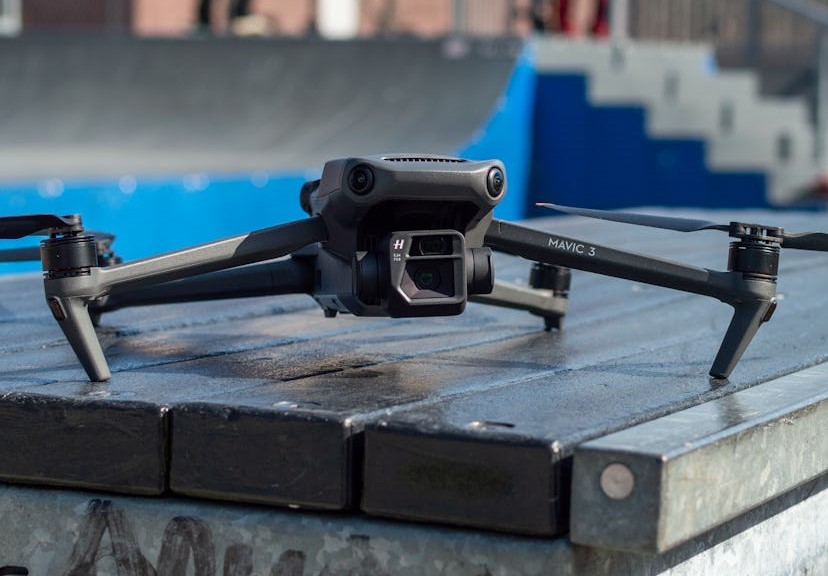
The DJI Mavic 3 is more than just a foldable flagship drone—it’s a game-changer for aerial photography and videography. Packed with cutting-edge technology, professional imaging tools, and unmatched flight performance, this drone raises the bar for both hobbyists and professionals. Since its launch in late 2021, it has become DJI’s most advanced consumer drone yet. Sleek Design and Intelligent Build At first glance, the Mavic 3 resembles earlier models. However, DJI has reimagined its design from the inside out. The drone is now lighter and more aerodynamic, reducing drag by around 35%. Thanks to its foldable arms and streamlined body, it offers quieter, more efficient flights. Despite weighing just 895 to 900 grams, it doesn’t sacrifice performance. In fact, its compact form makes it easier to carry, store, and launch—making it ideal for creators on the move. Dual-Camera Powerhouse What truly sets the Mavic 3 apart is its powerful dual-camera system. Additionally, the Hasselblad Natural Colour Solution (HNCS) guarantees true-to-life colors straight from the camera—no heavy editing needed. Flight Time and Performance In terms of flight performance, the Mavic 3 leads the pack. It offers up to 46 minutes of flight time in optimal conditions—far surpassing most consumer drones. Even under real-world scenarios, users often report close to 40 minutes of steady, stable flight. Top speeds reach up to 21 m/s (roughly 47 mph) in Sport Mode, and the drone performs confidently in winds up to 12 m/s. Plus, with a maximum operating altitude of 6000 meters, it’s ready for high-elevation missions. Thanks to DJI O3+ transmission, users enjoy a sharp 1080p/60fps live video feed with up to 15 km range, ensuring smooth, reliable communication at all times. Smarter Flying with Safety in Mind Safety and intelligence go hand-in-hand with the Mavic 3. Its omnidirectional obstacle sensing system combines eight vision sensors for 360° awareness. These work alongside Advanced Pilot Assistance System (APAS) 5.0, which helps the drone automatically dodge obstacles or stop when necessary. Another standout is ActiveTrack 5.0, allowing you to lock onto moving subjects—even through trees or complex terrain—with impressive precision. Furthermore, the drone connects to global satellite systems like GPS, GLONASS, Galileo, and BeiDou for accurate positioning. On enterprise versions, RTK support offers centimeter-level accuracy for mapping or inspection work. Meanwhile, the upgraded Return to Home (RTH) scans the flight path up to 200 meters ahead to plan the safest route back. Versions for Every User We’ve already explored this for you—so you don’t have to. Take a look at these articles where we break down the different Mavic 3 models DJI offers to suit a variety of needs. Additionally, the DJI Smart Controller boosts usability with its built-in screen and extended range. You can also choose a Fly More Combo, which bundles extra batteries, ND filters, and carrying cases for longer sessions. Real-World Experience and Visual Excellence Many users rave about the Mavic 3’s image quality and flight stability. The larger sensor and adjustable aperture let you shoot in all lighting conditions, while the zoom camera makes it easier to stay safe when capturing distant details. The drone’s battery life consistently surprises, often reaching close to the promised 46-minute mark. Plus, the obstacle avoidance system builds confidence during complex flights—though in dense forests, its navigation can still act unpredictably. Final Thoughts: Is the Mavic 3 Worth It? Without a doubt, the DJI Mavic 3 is a powerhouse. It combines top-tier image quality, smart flight features, and long-range capability—all in a foldable, portable frame. Whether you’re a filmmaker, photographer, inspector, or drone enthusiast, this drone gives you the creative freedom to push your limits. Although its price point is high, the Mavic 3’s value is equally impressive. It’s not just a tool—it’s a complete solution for capturing stunning aerial content with precision and ease. comparison DJI Mavic Pro (1st Gen) The original Mavic Pro weighs about 743 grams and offers a maximum flight time of around 27 minutes. It features a 12 MP camera with a 1/2.3” CMOS sensor capable of shooting 4K video at 30fps. It has forward and downward obstacle sensors and uses the OcuSync 1.0 transmission system, providing a range of up to 7 kilometers. It includes 8GB of onboard storage plus microSD support. This model is great for entry-level prosumers and general use. DJI Mavic Pro Platinum The Mavic Pro Platinum shares the same weight and camera specs as the original Mavic Pro but improves flight time to about 30 minutes and offers quieter flight. It retains the same obstacle sensing and transmission system as the original. It’s ideal for users wanting a slightly longer flight and quieter operation without changing the core features. DJI Mavic 2 Zoom Weighing 907 grams, the Mavic 2 Zoom offers a 31-minute flight time. It features a 12 MP 1/2.3” CMOS camera with a 4× zoom capability (2× optical and 2× digital). It has omnidirectional obstacle sensing with 10 sensors and uses the OcuSync 2.0 transmission system with an 8 km range. This drone is perfect for those who want versatile zoom capabilities for creative shots. DJI Mavic 2 Pro Also weighing 907 grams and offering a 31-minute flight time, the Mavic 2 Pro is equipped with a 20 MP Hasselblad camera featuring a larger 1” CMOS sensor. It supports 4K video at 30fps with HDR and Hyperlapse features. Like the Zoom, it has omnidirectional obstacle sensing and OcuSync 2.0 transmission with an 8 km range. This model is favored by prosumers seeking high-quality imaging. DJI Mavic 3 The Mavic 3 weighs approximately 895 grams and boasts an impressive flight time of about 46 minutes. It features a dual-camera system: a 20 MP 4/3” Hasselblad sensor and a 12 MP telephoto lens. Video capabilities include 5.1K at 50fps and 4K at 120fps, with advanced color science from Hasselblad. It has omnidirectional obstacle sensing in six directions and uses the O3+ transmission system with an 8 km range. This drone is designed for professional cinematography. DJI Mavic 3 Classic Very similar in weight and flight time
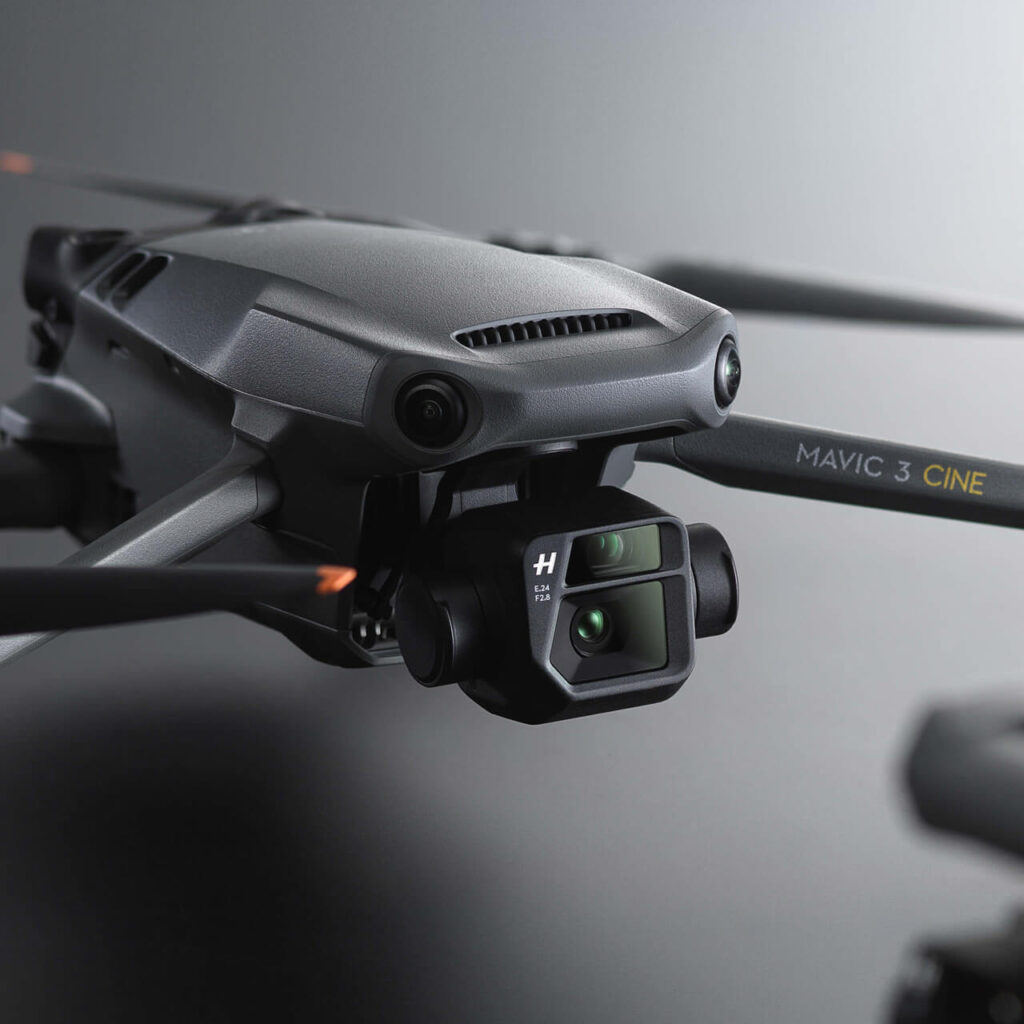
The DJI Mavic 3 Cine is DJI’s flagship drone built for professional filmmakers and serious content creators. Designed to deliver uncompromising image quality, smooth flight performance, and robust safety, it sets a new benchmark for cinematic aerial production. Released as an enhanced version of the Mavic 3, the Cine edition features Apple ProRes 422 HQ encoding and a built-in 1TB SSD, making it an ideal tool for high-end video work. You can view the official DJI product page here. We’ve already explored this for you—so you don’t have to. Take a look at these articles where we break down the different drones models DJI offers to suit a variety of needs: DJI Air 2S,DJI Mavic Air,DJI Air 2S,DJI Mavic 2 Pro ….ect A Quick Look at the Mavic 3 Cine This drone is equipped with a dual-camera system, combining a Hasselblad 4/3 CMOS sensor and a powerful telephoto lens. It records up to 5.1K at 50fps and 4K at 120fps, with support for 10-bit D-Log color profiles—ideal for color grading. For a hands-on experience, check out Videomaker’s in-depth review. Its advanced omnidirectional obstacle avoidance, ActiveTrack 5.0, and smart Return-to-Home (RTH) functions ensure safer, smarter flights every time. But firstly what truly makes the Cine model stand out is the inclusion of Apple ProRes 422 HQ and a 1TB internal SSD, because its allowing creators to shoot in high-bitrate formats without storage concerns. The included DJI 10Gbps Lightspeed Cable enables quick offloading, making the post-production process seamless. Key Features and Specifications Camera Capabilities For complete technical specs and a side-by-side comparison with other models, visit this Coverdrone feature overview. Flight Performance Intelligent Features for Creative Control What’s in the Cine Premium Combo? To get the most out of your Mavic 3 Cine, DJI offers the Premium Combo, available at GetFPV. It includes: Real-World Experience and User Reviews Filmmakers and drone professionals praise the Cine for its exceptional video quality, especially with ProRes. The footage is sharp, rich in color, and full of detail, making post-production easier and more flexible. According to reviews on Best Buy, users are impressed by its long flight time and smooth operation—even in challenging environments. The 28x zoom is a favorite for capturing scenes discreetly from a distance. Some users noted a slight color shift when switching between cameras and a learning curve with the Cine’s manual settings. However, the overall consensus is clear: it’s a top-tier drone for professionals. Who Is It For? The Mavic 3 Cine is perfect for: Final Verdict In conclusion, the DJI Mavic 3 Cine delivers where it matters most: quality, control, and creative freedom. Its combination of Hasselblad imaging, ProRes encoding, and extensive flight intelligence make it a must-have for professionals aiming for cinematic excellence. Whether you’re producing feature films, documentaries, or branded content, this drone is engineered to meet your demands—and exceed them.
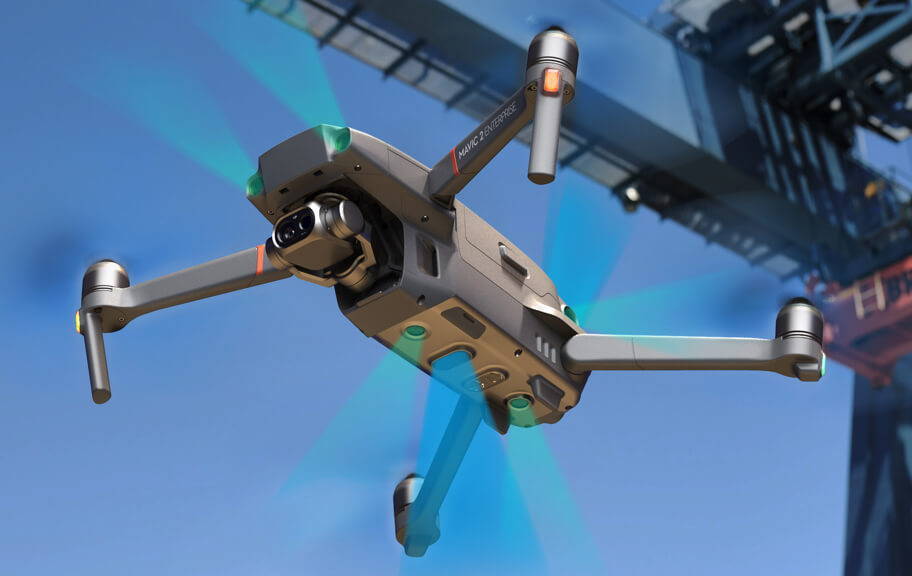
Here’s the rewritten version of your article, optimized for clarity, structure, SEO, and human readability—with subheadings, short paragraphs, minimal passive voice, and simplified language, as per your usual content style: Drones have come a long way from simply capturing stunning aerial photos and videos. With rapid advancements in technology, they’re now transforming industries—from saving lives to helping design smarter cities with 3D maps and models. As drone adoption continues to rise across both public and private sectors, DJI remains at the forefront of innovation. One standout example is the Mavic 2 Enterprise series, a lineup built specifically for commercial and government use. These drones combine high performance, advanced sensors, and powerful accessories—all in a compact, easy-to-carry form. As a result, they’ve become go-to tools for professionals working in public safety, search and rescue, fire response, inspections, and law enforcement. Moreover, the Mavic 2 Enterprise series is now easier to access than ever. You can find them on major platforms like Amazon and B&H, making the purchase process faster and more convenient. In the sections below, we’ll break down what makes the Mavic 2 Enterprise and Mavic 2 Enterprise Dual so effective—and why they’re trusted by teams around the world. Feel free also to check out other DJI drones to be able to compare between them and see which one is the best for you , for example : DJI Mavic 2 Zoom ,DJI Mavic 2 Pro,DJI Air 2S Meet the Series: Mavic 2 Enterprise vs. Mavic 2 Enterprise Dual The Mavic 2 Enterprise line includes two models: Mavic 2 Enterprise Dual – Thermal & Visual in One Mavic 2 Enterprise – High-Power Zoom Modular Accessories: Expand Your Capabilities DJI equips the Mavic 2 Enterprise series with a modular port, allowing users to attach mission-critical accessories: These tools are game changers, especially for emergency response and remote communications during critical missions. Camera Features That Elevate Every Flight The Mavic 2 Enterprise Dual combines a 4K visual sensor and a thermal sensor in one gimbal-stabilized camera system. This enables versatile flight missions both day and night. Real-time switching between thermal and visual modes gives pilots flexible data collection options on the fly. Smart Display Modes in DJI Pilot App: Designed for Close-Range Precision The Mavic 2 Enterprise (Zoom model) is built for close-quarters operations where safety and accuracy are essential. Its 3-axis gimbal and zoom lens allow you to capture high-resolution images and videos while maintaining a safe distance. Compact, Foldable, and Built for the Field Both models in the Enterprise series share a foldable design for maximum portability: With these features, you’re equipped for missions in extreme environments and remote areas. Reliable Flight Performance with OcuSync 2.0 DJI’s OcuSync 2.0 offers powerful upgrades in flight control and data transmission: Data Protection and Built-in Storage Security is a major focus for enterprise users—and DJI delivers. This ensures that sensitive data stays protected at all times, even during emergencies. Fly Smarter with Omnidirectional Obstacle Sensing The Mavic 2 Enterprise series features FlightAutonomy with omnidirectional sensing, combining: This system helps pilots avoid obstacles from nearly all directions—making missions safer in tight or cluttered spaces. Why the Mavic 2 Enterprise Series Stands Out The DJI Mavic 2 Enterprise and Enterprise Dual offer a rare combination of affordability, portability, and advanced functionality. They provide real-world solutions to real-world problems in industries where safety, speed, and cost efficiency matter most. From thermal imaging to zoom inspections, from public safety to critical infrastructure surveys, these drones are redefining what professionals can expect from compact UAVs. Final Thoughts: The Future of Commercial Drones is Here As drones continue to outpace manned aircraft in efficiency and safety, the DJI Mavic 2 Enterprise series stands at the forefront of a new era in professional drone technology. Offering robust flight performance, enhanced data protection, and intelligent accessories—all in a foldable, budget-friendly package—the Mavic 2 Enterprise and Dual are ideal tools for the modern pilot. Whether you’re responding to emergencies or inspecting critical infrastructure, the Mavic 2 Enterprise drones are built to deliver. They’re reliable, efficient, and ready for action when it matters most. Furthermore, as drone technology continues to advance, DJI’s Enterprise series stands out as proof that powerful capabilities can now come in smaller, more portable packages. This evolution makes high-performance drone operations more accessible across a wide range of industries.

If you’re searching for a compact drone that delivers serious performance and stunning visuals, the DJI Mavic 2 Zoom might just be what you’re looking for. Sleek, smart, and impressively capable, this drone offers advanced features in a travel-ready package. Let’s explore what makes the Mavic 2 Zoom a standout choice for drone pilots, content creators, and aerial photography lovers alike. The DJI Mavic 2 Zoom is one of the budget friendly camera drones yet among the best in the market and its available in amazon,walmart,B&H, and dji retailers. First Impressions: Sleek and Functional Right out of the box, the Mavic 2 Zoom impresses with its dark gray finish, silver accents, and compact design. It shares the same design DNA as the original Mavic Pro, but with subtle refinements that make a big difference. One handy change is the updated gimbal cover, which protects the camera during transport. While attaching it can be tricky at first, DJI includes a quick diagram to help. Once you get the hang of it, it becomes second nature. DJI also added LED landing lights to assist in low-light takeoffs and landings—especially helpful when downward sensors struggle to detect the ground. Upgraded Obstacle Avoidance and Sensors The Mavic 2 Zoom features Omnidirectional Obstacle Sensing, giving it a full suite of sensors on the front, back, sides, top, and bottom. Despite having so many sensors, the drone’s body stays clean and compact—no bulky bulges or awkward protrusions. Controller: Smart, Portable, and Phone-Friendly The included remote controller now features removable “stow-and-go” joysticks, just like the Mavic Air. This makes it easier to toss into your bag without damaging anything. Rubberized grips improve comfort, even when using a larger phone like the Samsung S8 Active. One standout feature? The controller charges your phone during flight if its battery drops below 40%. That’s a thoughtful bonus from DJI. Just note: most phone cases will need to be removed for a proper fit inside the controller grips. Another cool touch? The integrated charging cable built into the charger itself—no more digging around for a spare wire when your controller is running low. Flight Performance: Fast, Smooth, and Confident DJI didn’t just make the Mavic 2 Zoom look good—it flies better than ever. Key Flight Specs: The Mavic 2 Zoom shares the same body as the Mavic 2 Pro—same size, weight, and flight power. The only difference? The camera system. In the air, it handles beautifully. Acceleration is responsive, and braking is smooth (depending on your control settings). The new quieter propellers reduce noise, but they’re not compatible with older models like the Mavic Pro. Flight Modes for Every Situation You get three primary flight modes, easily switchable on the side of the controller: Intelligent Flight Modes: Creative Shots Made Easy The Mavic 2 Zoom is packed with smart flight options that help you capture complex footage effortlessly. Key Intelligent Modes: QuickShot Presets: Zoom Capabilities: What Sets This Camera Apart The standout feature, of course, is the 2x optical zoom lens. It gives you flexibility to get closer to the action without moving the drone itself—ideal for subjects like wildlife, people, or architecture. You also get digital zoom when filming in 1080p, and DJI claims it’s lossless. The Mavic 2 Zoom even boasts up to 13 stops of dynamic range, helping preserve detail in highlights and shadows. Camera Specs at a Glance: You also get access to Super Resolution Mode, which stitches multiple shots into a 48MP image—a major bonus for landscape photography. Low-light performance is improved with DJI’s new Hyperlight mode, boosting image quality in dark environments. Final Verdict: A Top-Tier Drone With Zoom Power The DJI Mavic 2 Zoom brings everything you could want in a high-end drone—speed, stability, flight intelligence, and a unique camera that truly expands creative options. Whether you’re a hobbyist wanting cinematic family videos or a pro capturing commercial-grade footage, the Mavic 2 Zoom delivers. It’s smooth, fun to fly, and full of clever tech that makes even complex shots feel effortless. Looking for dynamic aerial content without carrying bulky gear? The Mavic 2 Zoom is a compact beast that checks all the right boxes.
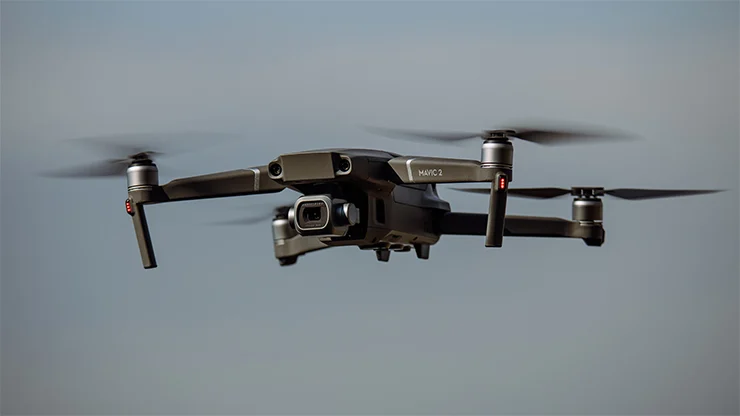
The DJI Mavic 2 Pro is a professional-grade compact drone known for its advanced imaging capabilities and robust flight performance. It features a 1-inch CMOS sensor with 20 effective megapixels, enabling high-quality stills at 5472×3648 resolution and 4K video recording at up to 30 fps with a maximum bitrate of 100 Mbps. The camera has a 28mm equivalent lens with an adjustable aperture from f/2.8 to f/11, allowing for greater control over depth of field and exposure in various lighting conditions258. Key Camera Specifications: Flight and Performance: Additional Features: The Mavic 2 Pro is praised for its combination of a large sensor camera with adjustable aperture, long flight time, and comprehensive obstacle sensing system, making it ideal for professional photographers and videographers who need high-quality aerial imaging in a portable form factor346. Summary Table: